

FANUC robot repair and maintenance combines routine observations, scheduled service and checks after work. Start with the complete robot model, controller and application. Then use the applicable maintenance manuals to set tasks, intervals and acceptance limits. A useful checklist links each observation to an action and a record; it does not assign the same grease, battery procedure or service interval to every robot.
This guide helps maintenance teams plan preventive work and recognize when a fault needs assessment. It covers the arm, controller, teach pendant and connected equipment. When maintenance identifies a fault, the same record can support a FANUC robot repair assessment. Detailed drive alarms and startup faults have their own linked guides.
What does FANUC robot maintenance include?
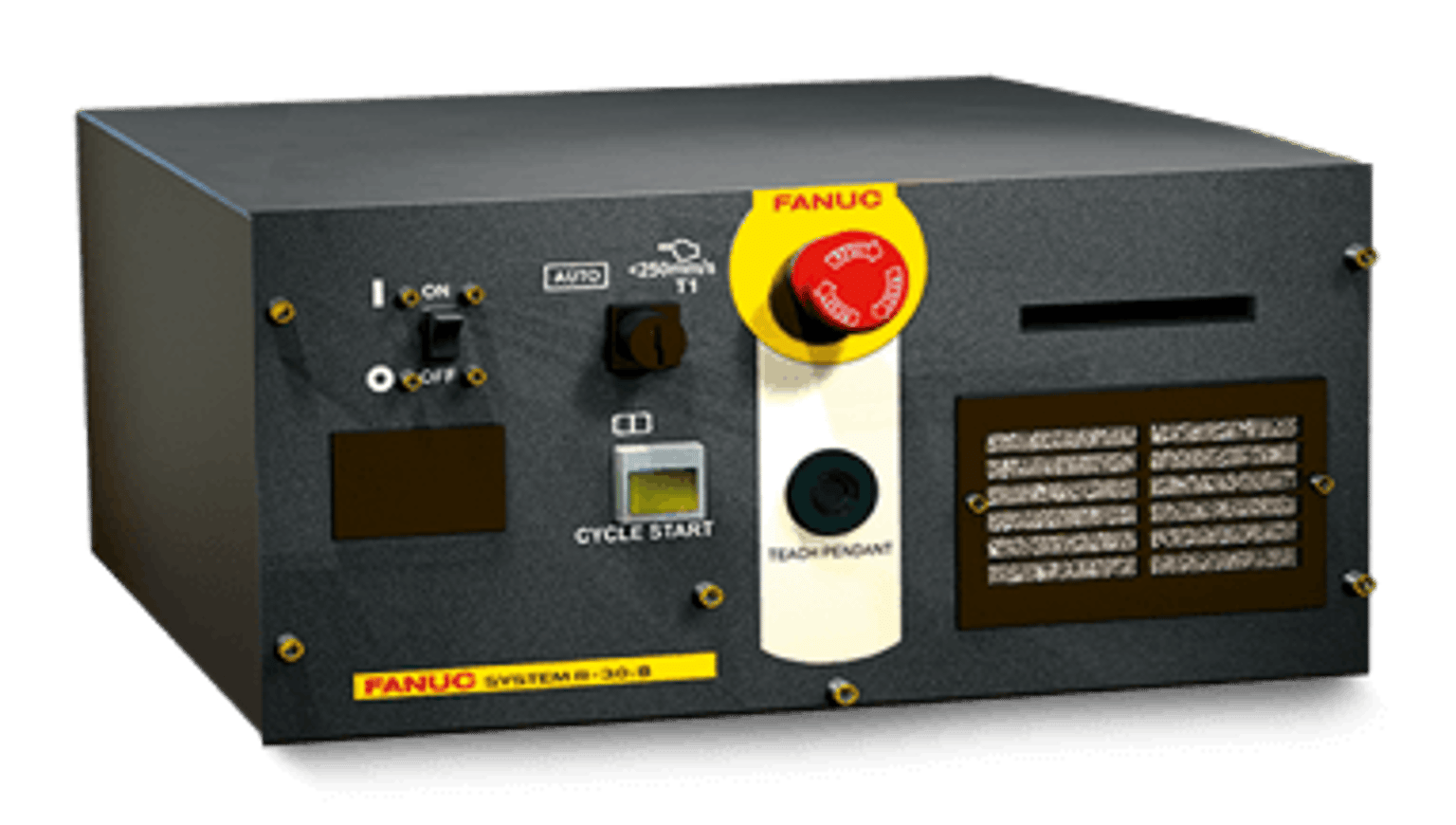
Begin with an equipment record: robot model and serial number, controller type, software version, tool and application. Keep the manual number and revision beside the service plan. Check that the documents match both the mechanical unit and controller. A cabinet photograph helps identify equipment but does not identify every module inside it.
FANUC’s robot support page describes preventive, predictive and reactive service. It also explains how customers can access controller maintenance, operator and software manuals through its customer portal. Use those model-specific documents for procedures and limits; use the checklist below to organize the work.
FANUC robot support and maintenance-manual access
FANUC robot maintenance checklist
Record the condition, evidence and next action for each item. Write “not checked” when access or production conditions prevent an inspection. Keep observations separate from diagnoses: a new noise is evidence of a change, not proof of a failed reducer.
| Area | What to observe or review | Record and follow-up |
|---|---|---|
| Robot arm | New noise, vibration, leaks, damage or changing position behavior | Affected axis, pose, direction and operating conditions |
| Cables and connectors | External wear, routing, strain, contamination and recent connection work | Photos, labels and whether the symptom follows cable motion |
| Controller | Alarm history, cooling condition and environment compared with normal operation | First alarm, time, cabinet identity and approved service task |
| Teach pendant | Display, touch, keys and connection stability | Symptom, controller state and separate functional-test results |
| Tooling and peripherals | Gripper, applicator or weld equipment condition and process changes | Tool identity, load, recipe and cell acceptance checks |
| Scheduled components | Tasks due under the applicable maintenance manual | Document reference, approved part or material, date and work completed |
How should daily and scheduled checks be organized?
Use daily or shift reviews to log alarms and changes from normal production. A weekly or monthly planning review can check trends, overdue tasks and access requirements. An annual review can help plan shutdown work. These are useful planning checkpoints, not universal FANUC service intervals.
Set each physical maintenance task from the correct manual and the site’s approved plan. Hours, calendar time, application conditions and prior findings may affect the schedule. Record both the next due date and any running-hour trigger. Review the plan after a tooling change, relocation or major repair.
For lubrication, identify the specified material, location, amount and procedure before work. Battery work also needs the applicable replacement and data-retention procedure. Do not transfer instructions from a similar-looking arm. Backups should be labelled with the robot and controller, date and contents, and stored where the maintenance team can retrieve them.
Controller, teach pendant and servo checks
FANUC R-30iB Plus is a controller family with different cabinet formats. Identify the installed version before selecting parts or maintenance documents. During routine observation, note cooling changes, repeated alarms and any new shutdown pattern. Internal electrical work requires the equipment’s isolation and stored-energy procedure.
A blank pendant display, lost communication and a damaged cable need separate records. Where a check concerns an enabling device or emergency stop, record its actual test result under the applicable procedure. A working screen does not establish that every pendant function has passed.
For a servo alarm, preserve the first message, axis, timing and operating load. A drive alarm may involve a motor, feedback, wiring or mechanical load. Use the FANUC servo drive repair guide for that assessment rather than treating every alarm as a failed module.
FANUC servo drive repair: alarms and module identification
FANUC robot troubleshooting when the robot will not move
Robot maintenance versus robot repair
Robot preventive maintenance addresses planned tasks and early signs of change. FANUC robot repair starts when evidence points to a fault that needs diagnosis or restoration. An inspection can lead to either outcome. Record what was found before deciding whether to repair, replace or continue observation.
Compare part identity, repair feasibility, testing scope and installation work when considering replacement. A matching connector or similar cabinet does not establish compatibility. Keep the original settings and backups, and agree what must be checked on the actual cell after a component returns.
Painting, welding and palletizing need different records
A painting cell needs coating, applicator and supply-system records alongside robot motion. If the path is unchanged but the finish changes, retain flow, material and trigger information. Welding adds torch, wire-feed and weld-process records. Palletizing adds gripper, product load, pallet pattern and conveyor timing.
Robotic maintenance should follow the installed application. Restoring robot motion alone does not establish an accepted paint finish, weld or pallet load. Agree representative products and operating conditions before testing. Record which peripheral equipment was included and which checks remain open.
What should a service enquiry include?
- Complete robot, controller and affected component identities, with clear label photos.
- The first alarm, when the issue began and the conditions that reproduce it.
- Recent maintenance, program, tool, cable or load changes.
- Checks already performed, their results and the available backup record.
- The required assessment, repair or replacement scope and proposed acceptance checks.
Submit equipment information for a FANUC robot assessment
FANUC robot maintenance FAQ
How often should a FANUC robot be serviced?
Use the schedule for its complete mechanical-unit and controller configuration. A generic daily, monthly or annual list cannot replace the specified service intervals, materials and procedures.
What should be checked before restarting after maintenance?
Confirm the work scope is complete, settings and tooling are correct, and the required cell and safety-function checks have passed. Verify the original symptom under agreed conditions. Record any restrictions before production release.
Can a FANUC servo drive be repaired?
That depends on the identified module, damage, available parts and suitable tests. A bench result and a successful production-cell acceptance check answer different questions. Agree both scopes before work.
Manufacturer references and related guides
FANUC R-30iB Plus controller family
FANUC M-410iC/315 model-specific maintenance article
FANUC M-2000iA model-specific maintenance article