

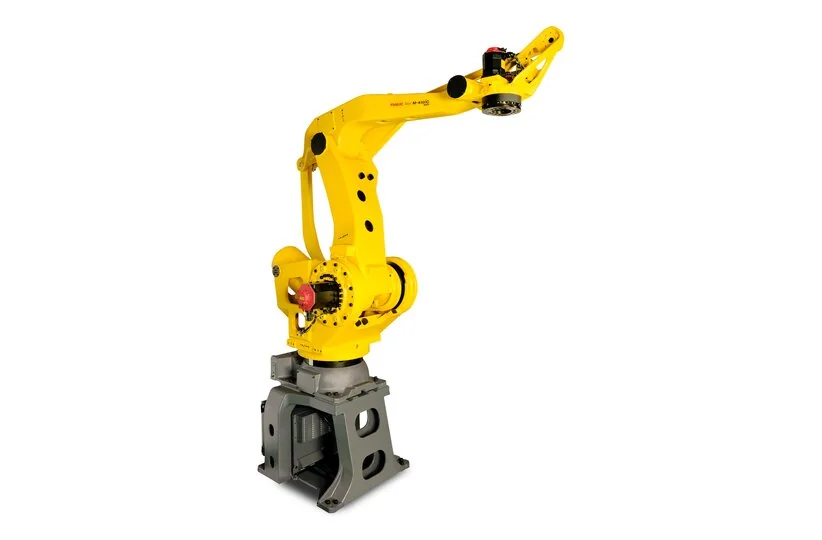
A FANUC M-410iC/500 that places a heavy load differently needs a load-and-support comparison before a path correction. A changed payload definition, gripper flex, pallet datum, part presentation or layer state can each move the final package. The robot reaching the expected nominal point does not prove the load is supported at the correct physical location.
FANUC identifies M-410iC/500 as a four-axis palletizer with an R-30iB Plus controller context and a large payload class. The product page does not define the installed gripper, pallet pattern, load center, fixture or acceptance criteria. Use the actual integration drawings and job records; do not copy M-410iC/315 values.
Record the first shifted layer and load
Save the pallet, layer, pattern, part count, tool state, carried load and first placement measurement. Note whether the error is a stable translation, a rotation, a corner-only shift or a spread that changes cycle to cycle. Keep the last accepted layer and the first changed layer separate. A later stack alarm can be a consequence of the first placement error.
- Complete gripper, adapter and supported service identity.
- Selected payload and center-of-gravity record.
- Pallet datum, guide and part presentation.
- Job, layer counter and recovery state.
Separate payload data from gripper deflection
Confirm the active payload definition and compare it with the complete carried assembly. Include the gripper, adapter, sensors and supported hoses where the application requires them. A nominal mass match does not prove that the center of gravity and inertia match. Keep the old approved definition before any correction.
Inspect the gripper, fingers, frame and support surfaces under controlled conditions. A heavy package can flex or settle after release even when the robot flange reaches the programmed point. Compare an empty-tool pose, a supported load pose and a placed package only where the approved procedure permits. Do not use a payload correction to hide a loose tool or a damaged support.
Check pallet datum and package support
After the load is controlled, compare the pallet guide, stop, datum and neighboring packages with the approved layout. A pallet moved by a transfer device can create a full-layer shift without any robot-data change. Record the physical direction and the feature used for measurement before teaching a compensating offset.
A package can be correctly released but then move against a neighboring layer or a pallet edge. Compare the release position, support surface and post-release movement. Keep the placement result separate from the gripper-release state so a pallet problem is not labelled as a robot axis fault.
Trace layer logic and recovery state
Record the active job, pattern number, layer counter, pallet identity and next step. If a cycle was interrupted, identify whether the application retained the completed placement, the pending placement or the release state. Resetting a layer counter can make the next cycle run while leaving the stack history wrong.
Compare robot commands with the external pallet or line handshake. A ready signal can mean that the line accepted a request, not that the pallet datum is correct. Record signal names, timing, filtering and inversion before changing a timeout or skipping a wait.
| Pattern | Compare next | Not established |
|---|---|---|
| Whole layer shifts together | Pallet datum and fixture | Robot calibration fault |
| Shift appears under load | Payload and gripper flex | Pallet moved |
| Release is correct; package settles | Support and neighboring layer | Path point is wrong |
| Only recovery cycles drift | Layer state and handshake | Mechanical wear |
Use measured deflection instead of nominal payload labels
Record the measurement feature, unit, load state and time after placement. Compare more than one location so a rotation or flex pattern is not mistaken for a translation. A nominal payload label from a product page is not a field measurement of the installed gripper and package.
Change one approved condition at a time. If the payload definition, gripper, pallet and job all change before a successful run, the cause remains open. Preserve original and revised data, affected jobs and the rollback condition.
For a heavy-load pallet position drift, compare the measured package corner and center features, not only the outside edge. A package can rotate on release while its nearest corner appears correct. Record the measurement time after release and the neighboring layer condition so settling is not mistaken for a robot path error.
If the drift appears only after several layers, check cumulative datum and layer logic before replacing a robot component. The first layer may be correct while a small pattern or state error accumulates. Preserve the first layer that diverges and the exact pattern data used for it.
A large-load acceptance record should identify whether the package was measured immediately after release or after the cell completed its settling interval. Use the same interval before and after a correction. If the package support or neighboring layer was not representative, keep the heavy-load result limited to that test and do not generalize it to every pattern.
Verify heavy-load placement and stack recovery
Run representative patterns with the agreed package, gripper, pallet and layer sequence. Verify approach, load support, release, package settling, next-layer state and the permitted interruption recovery. Record repeat count, measured drift and any remaining support limitation. An empty-tool run cannot validate a heavy-load stack.
Handover should list the active load, physical datum, layer and pallet identifiers, changed component or logic, measurements and open items. Keep the original job and configuration backup. This makes a later stack deviation traceable instead of forcing another unexplained offset.
Palletizing robot inspection and repair
Contact Suntech with the M-410iC/500 record